How Amalook works, step by step
From the first photo to a planned week of outfits. A walk through Amalook's wardrobe, outfit calendar, selfie analysis and style insights.
Amalook is an AI wardrobe and outfit planner. Its job is to help you see what you own and wear more of it. Here is how it works, from the first photo to a planned week of outfits.
1. Build your digital wardrobe
It starts with your clothes. You take or upload a photo of an item, and Amalook recognises what it is: the category, the main colours and other useful details. You can check and adjust everything before saving it.
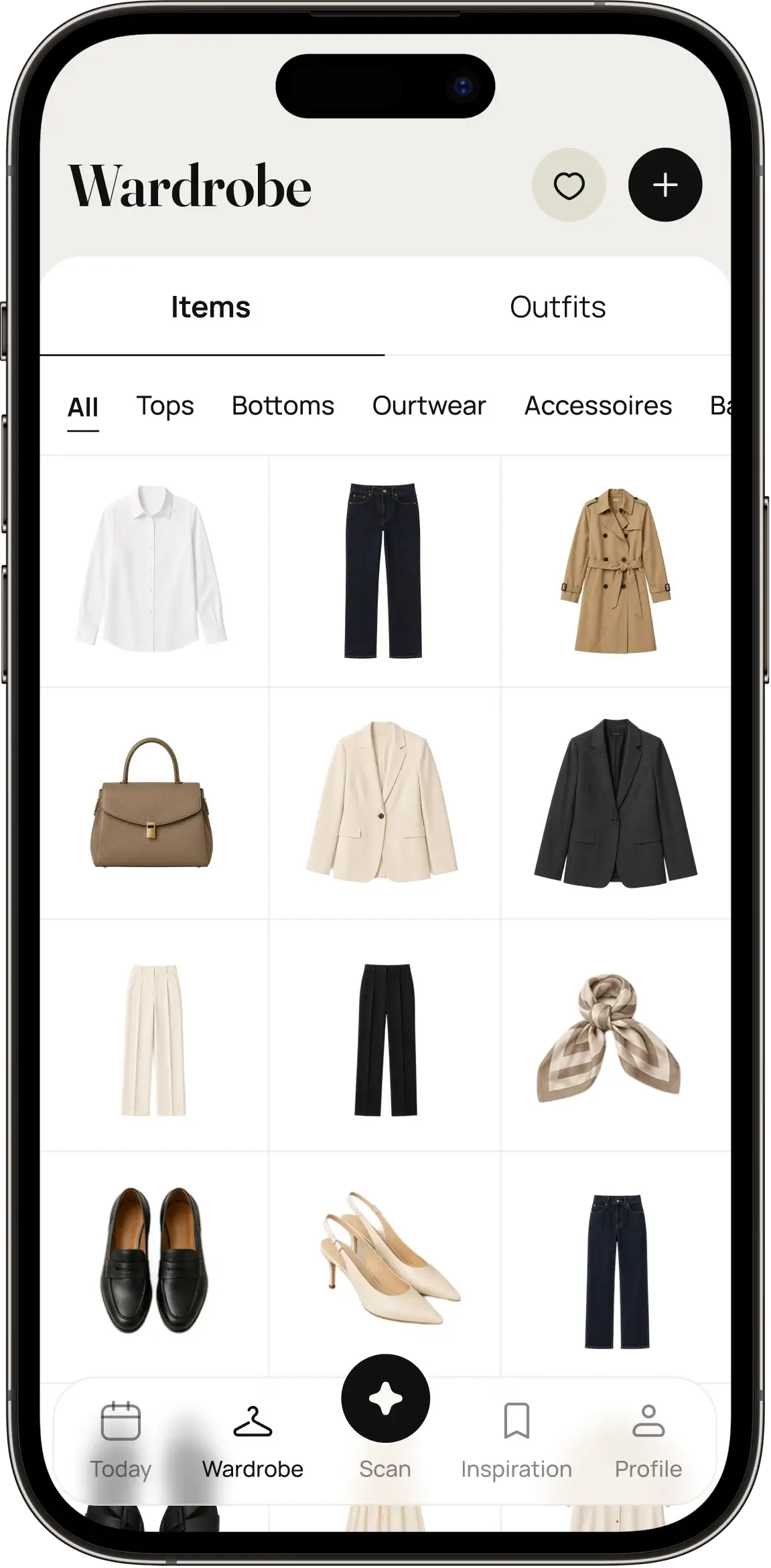
Every item lands in your wardrobe, sorted so you can browse it the way you think about clothes: tops, trousers, dresses, shoes, outerwear, accessories. You don’t need to add everything on day one. Most people start with the pieces they wear most and fill in the rest over time.
2. Open any item for the details
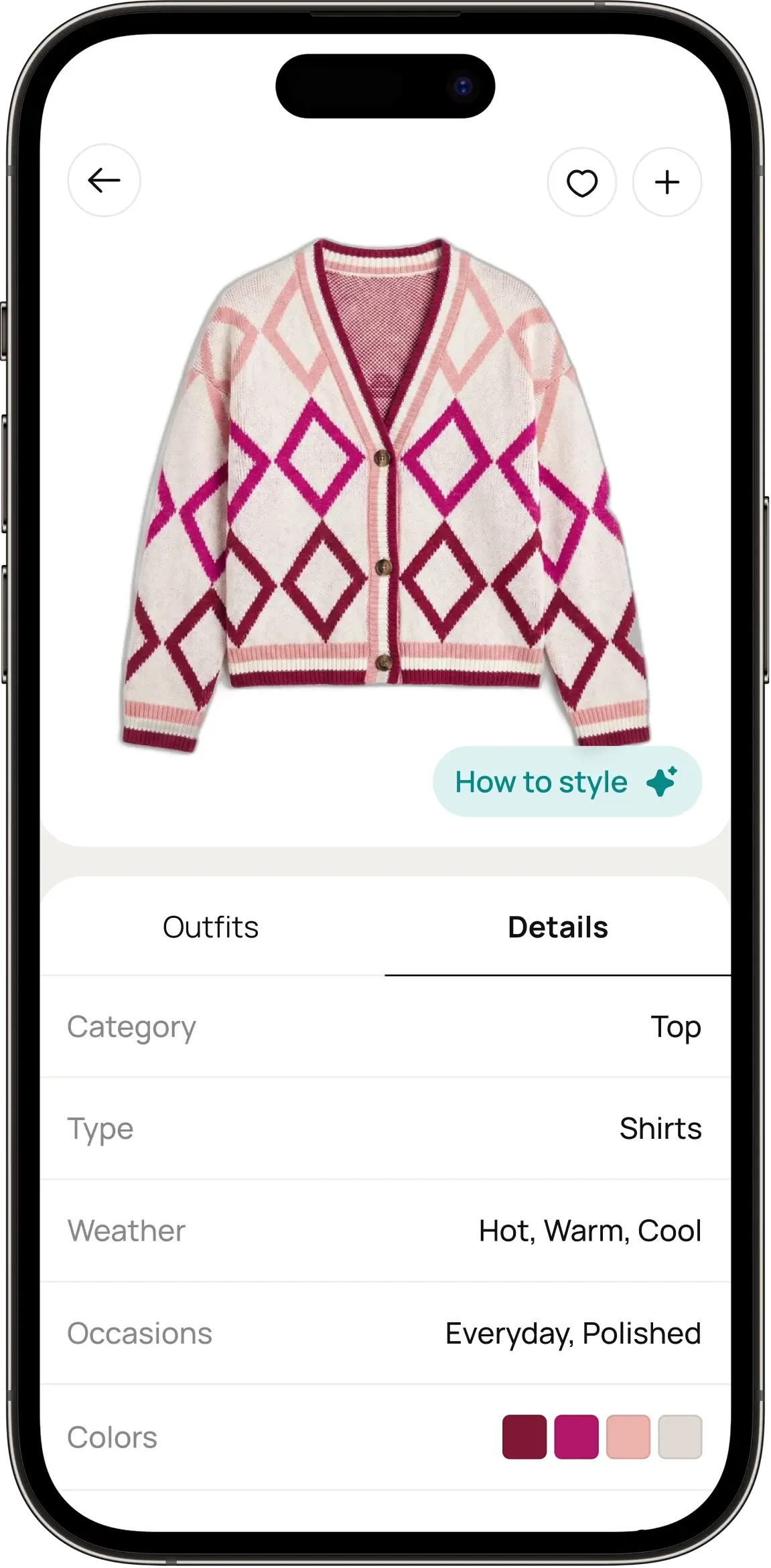
Each item has its own page with its photo and details. This is where your wardrobe stops being a pile of clothes and becomes something you can search, filter and combine.
3. Plan outfits on a calendar
Put outfits together from your items and place them on a calendar: for the week ahead, a trip or a special event. When the morning comes, the decision has already been made.
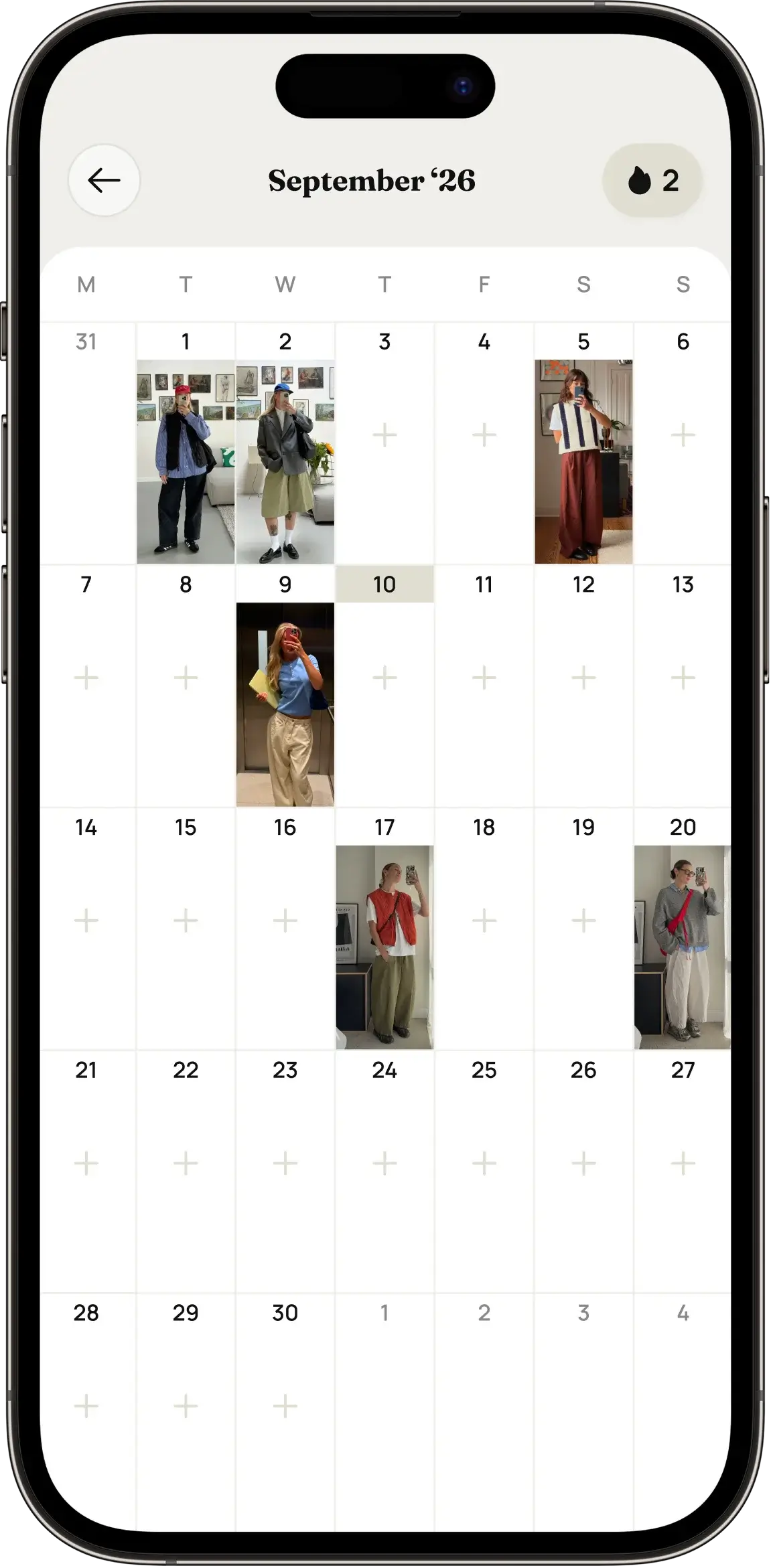
Amalook can also take the local weather into account when it suggests what to wear. For that it uses your approximate location, and only if you allow it. You can turn it off at any time in your iPhone settings.
4. Analyse an outfit from a selfie
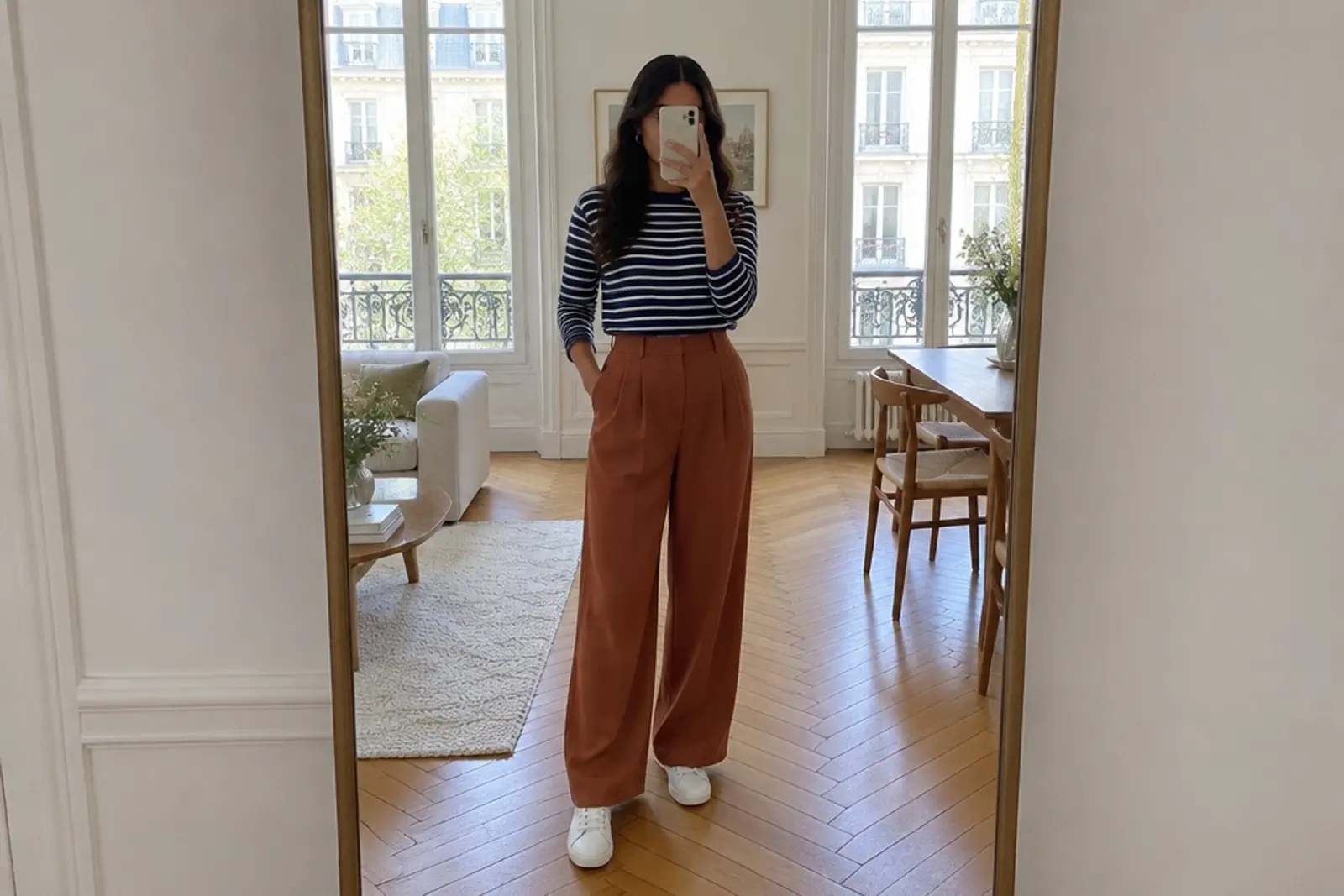
Dressed and heading out? Take a mirror selfie. Amalook looks at the outfit and picks out every item in the look, so you can see the pieces on their own and save the combination for later.
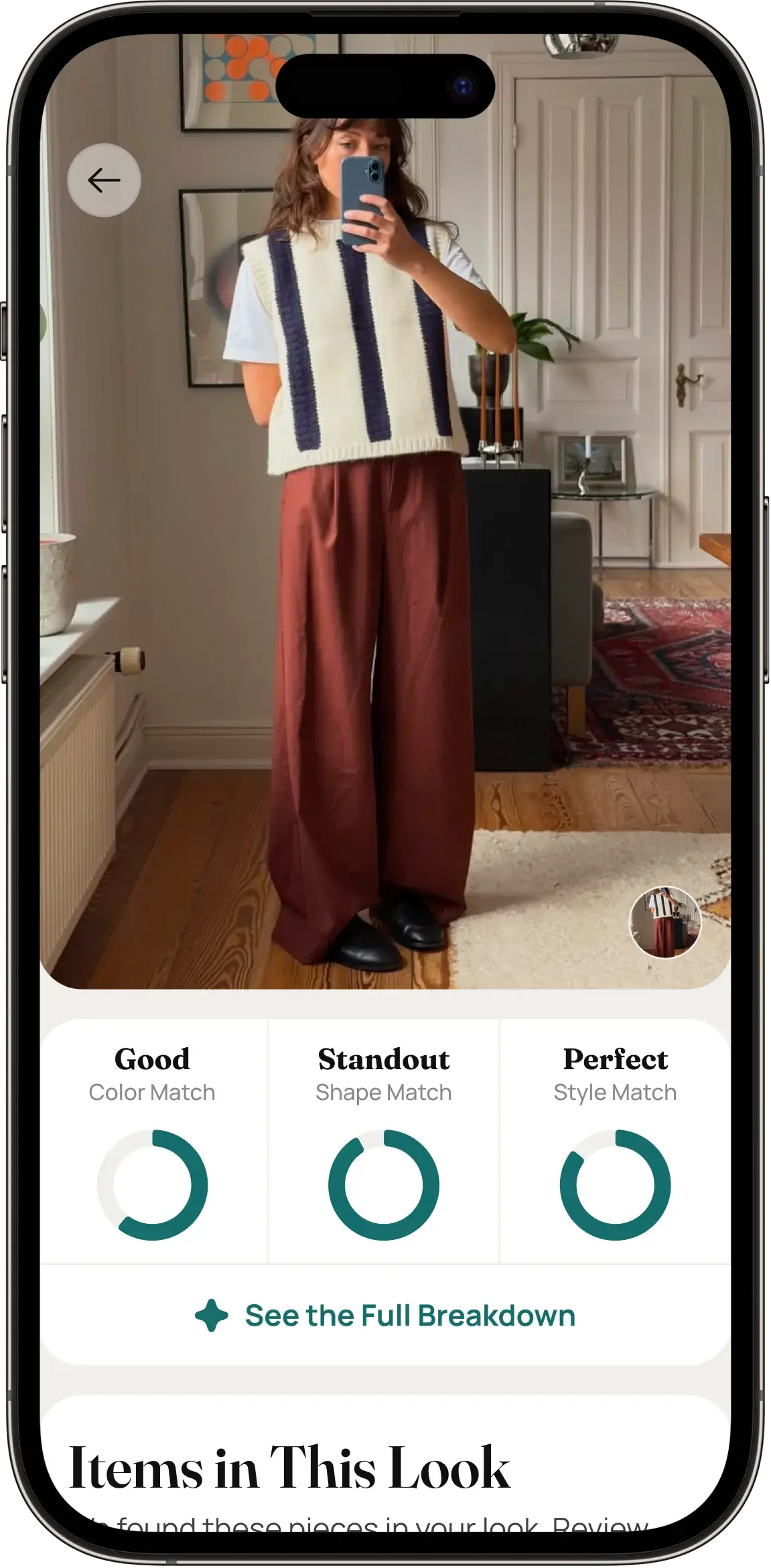
The photo is used to analyse the outfit, not to identify you. We explain exactly what happens to your images in How we handle your photos.
5. Understand your style
Over time, Amalook builds a picture of what you actually wear: the colours you reach for, the styles that dominate, and the pieces that rarely leave the wardrobe.
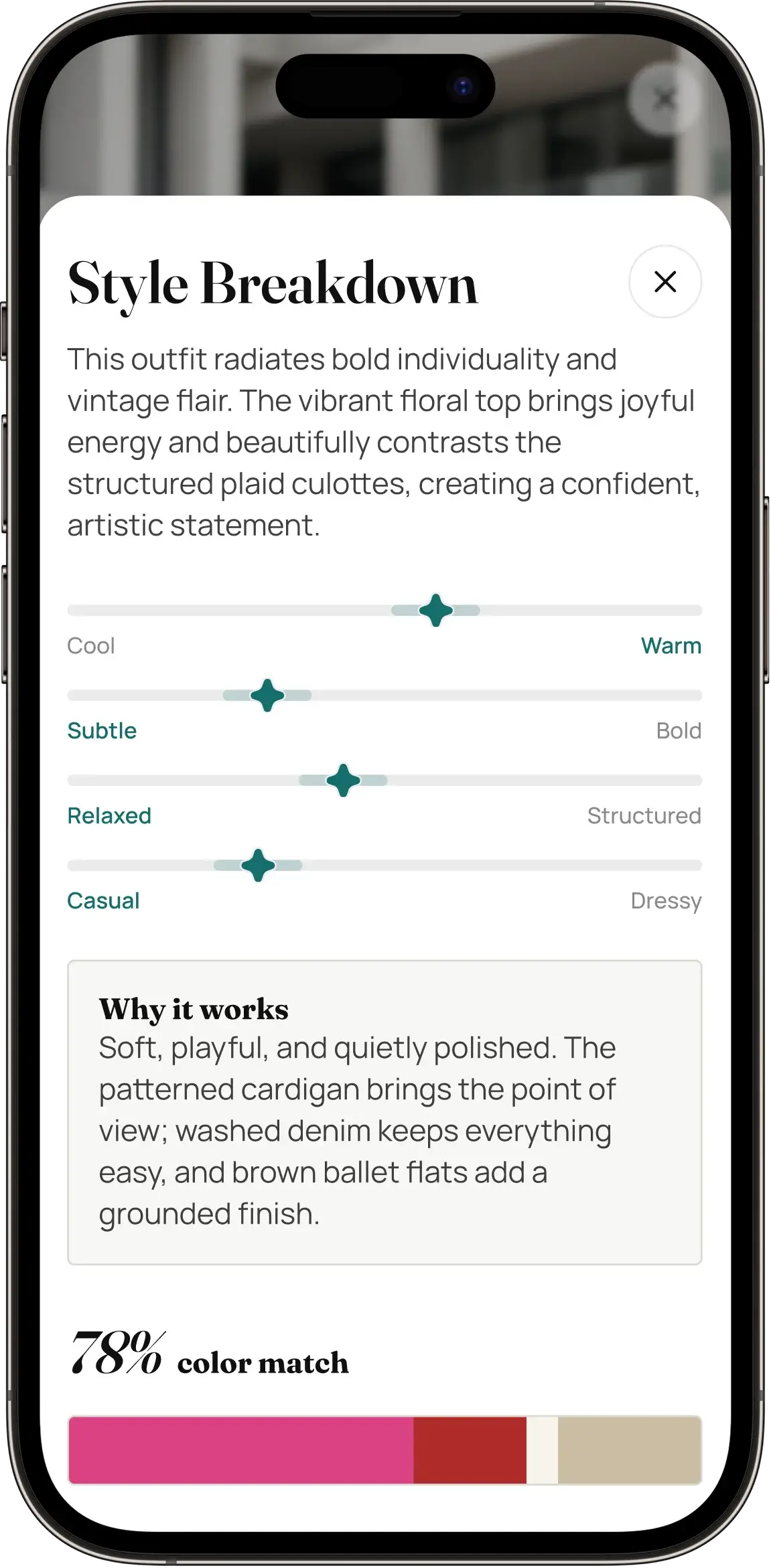
These insights are not there to judge. They help you notice patterns, such as “I own five blue shirts” or “I never wear that coat”, and make better choices about what to wear next, and what (not) to buy.
Where AI fits in
AI does the tedious work: recognising items in photos, breaking a selfie down into separate pieces and suggesting combinations. You stay in charge. Every suggestion can be changed, and nothing is posted or shared without you.
AI can make mistakes. If Amalook gets an item wrong, you can correct it in a tap.
Getting Amalook
Amalook is in development and will launch on the App Store first. If you’d like early access, write to us. If you have questions about the app, the support page covers subscriptions, account deletion and data requests.